1) From “Keyword Stuffing” to Intent-Driven Metadata
Old approach:
Describe what you see.
Add lots of related words.
Hope search finds you.
2026 approach:
Describe what matters to buyers, not just what exists in the frame.
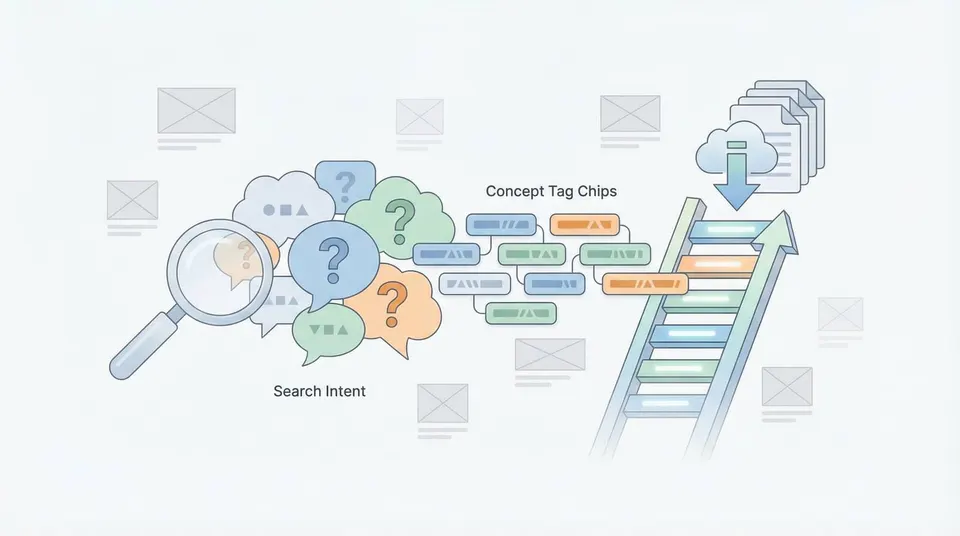
Capture use cases (where the image will be used), concepts (what the image means), and search intent (why someone would look for it).
Keep relevance tight to avoid downranking.
AI helps because it’s much better at generating:
Concept keywords (e.g., “productivity,” “trust,” “privacy,” “remote work”)
Audience + context (e.g., “small business,” “healthcare,” “Gen Z,” “home office”)
Commercial use cases (e.g., “landing page hero,” “ad banner,” “social media background”)
The result: metadata that matches how buyers actually search.
2) Multimodal Understanding Beats Manual Guessing
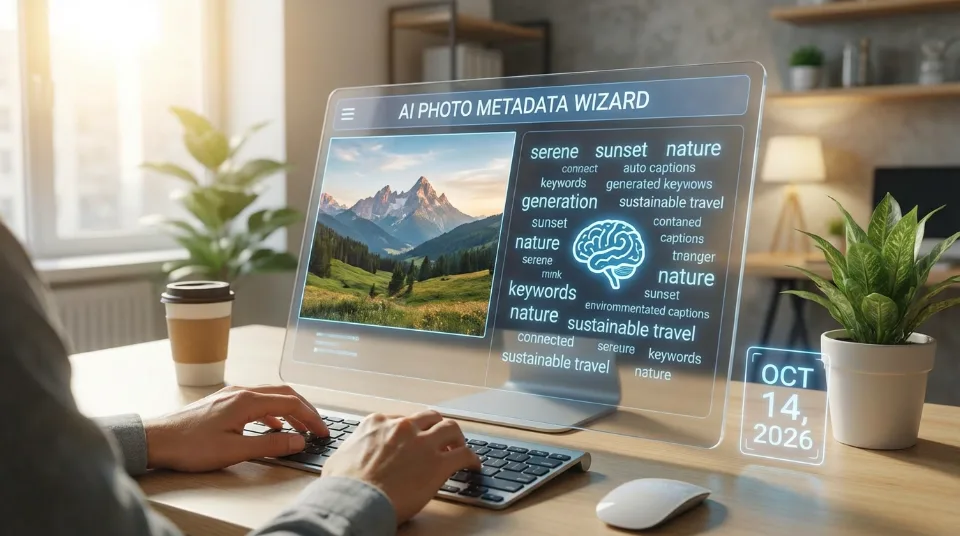
A major shift: AI systems now “understand” images and video frames semantically rather than relying on filenames or manual tagging.
That matters because many high-performing assets are not literal searches:
A photo of a locked door might sell for “cybersecurity” more than “door.”
A handshake image sells for “partnership,” “agreement,” “business deal,” not just “hand.”
A minimalist background sells for “banner,” “template,” “copy space,” “mockup,” “branding.”
AI can generate those layers consistently—especially across thousands of files.
3) Better Titles: Clear, Commercial, and Platform-Friendly
In 2026, the best titles tend to be:
Specific + natural language
Buyer-oriented
Not stuffed with commas
Examples:
Weak:
“Business, Meeting, Team, Office, Working, People”
Strong:
“Diverse business team brainstorming in modern office meeting room”
AI is especially useful at producing:
Correct, readable grammar
Consistent title patterns across series
Variations for near-duplicate shots (without going generic)
A good AI workflow also enforces rules like:
Don’t claim what isn’t visible (e.g., “CEO,” “doctor,” “startup founder”)
Avoid sensitive inferences (health status, religion, politics, etc.)
Don’t add brand names unless you have rights/releases and it’s allowed
4) Descriptions Are Becoming Mini Sales Pitches (Without Being Spam)
Descriptions used to be an afterthought. In 2026, they matter more because:
They help marketplace search engines disambiguate content
They improve relevance scoring
They reinforce concept/use-case keywords naturally
A strong description formula AI can generate reliably:
What it is + who/where + what it communicates + how it can be used
Example:
“Smiling freelancer working on a laptop in a cozy home office with natural light and copy space. Ideal for content about remote work, productivity, digital lifestyle, and online business marketing.”
That’s not fluff. It’s structured relevance.
5) Keywording Has Become More “Precision + Coverage” Than “More Words”
The biggest metadata mistake is still the same: irrelevant keywords. They inflate your list but reduce match quality and can hurt performance.
AI is now used to produce keyword sets in layers:
Layer A — Literal objects (high precision)
laptop, desk, coffee, notebook, smartphone, window
Layer B — Scene + category
home office, workspace, remote work, freelancer, indoor
Layer C — Concepts (the money keywords)
productivity, focus, work-life balance, digital nomad, online business
Layer D — Use cases
banner, header, copy space, social media, website, template
The best AI systems also generate:
Synonyms (without redundancy)
Regional spelling variants (where relevant)
Long-tail phrases that buyers actually type
6) Automated Keyword Ordering Is a Competitive Edge
Some marketplaces weigh keyword order more than others, but ordering still matters because it forces you to decide what the asset is really about.
Modern AI workflows can:
Rank keywords by relevance probability
Put the most purchase-intent concepts early
Deprioritize generic filler words
Practical rule that tends to hold:
Put core subject + core concept + core use case first
Then supporting details
Then broader concepts
This is one of the highest ROI automations for large portfolios.
7) Batch Workflows: AI Turned Metadata Into an Assembly Line
2026 is the era of batch operations:
Bulk upload
Bulk metadata generation
Bulk CSV export
Bulk QA checks
A modern contributor workflow often looks like:
Ingest
Files organized by shoot/set/style
AI metadata generation
Title + description + keywords
Normalization
Enforce casing, remove duplicates, standardize phrasing
Quality checks
Remove risky claims, irrelevant tags, sensitive inferences
CSV export
Platform-ready formatting
Upload + iterate
Track what sells, refine templates
This is where AI saves real time: not 10 seconds per image, but hours per week, consistently.
8) Quality Control Is the New Differentiator
As AI makes metadata easy, platforms will reward portfolios with:
High relevance
Low spam
Strong buyer satisfaction (click-to-download signals)
So the winning strategy isn’t “use AI.” It’s use AI with QA.
Add these guardrails:
Metadata QA Checklist (fast and effective)
Does the title describe what is clearly visible?
Are there any sensitive assumptions (health, religion, politics, sexuality, medical diagnosis)?
Any brand names, logos, or trademarked terms that shouldn’t be there?
Do keywords match the image, not just the theme?
Are there duplicates or near-duplicates (work/workplace/working repeated excessively)?
Are there misleading “trend tags” that don’t apply?
If you implement nothing else, implement this.
9) Personalization: Your Style, Your Buyers, Your Niche
In 2026, advanced creators don’t rely on generic prompting. They train their workflow with “metadata style rules,” for example:
Preferred title length (8–14 words)
Whether to use “copy space” vs “copyspace”
Whether to include “isolated on white background”
How to describe lighting (“soft natural light,” “studio lighting”)
Which concept keywords to prioritize for your niche (e.g., “minimal,” “luxury,” “Y2K,” “wellness,” “eco”)
AI becomes a consistent assistant that matches your catalog strategy.
10) What’s Next: Metadata as Market Intelligence
The next phase is already here:
AI suggests not only metadata, but what to create next
It spots gaps in your portfolio
It predicts rising topics and under-supplied niches
It clusters your content and highlights duplicates or missing variations
So metadata generation is evolving into:
production planning + SEO strategy + portfolio optimization
Creators who connect metadata to performance analytics will outpace those who only upload more content.
A Practical “2026 Metadata Template” You Can Reuse
Use this prompt structure with any image-to-metadata AI tool:
Prompt Template
Generate:
One natural, commercial title (max 14 words)
One description (1–2 sentences, include use case + concept)
35–45 keywords, highly relevant, no brand names, no sensitive inferences
Prioritize:
subject, setting, action
concepts and buyer intent
copy space if present
Avoid:
irrelevant trend keywords
medical/legal claims
demographic guesses unless clearly visible
This simple structure produces surprisingly “market-ready” results when combined with the QA checklist.
AI didn’t just speed up metadata creation in 2026—it changed the competitive landscape.
The winners are the contributors who use AI to produce metadata that is:
Accurate
Intent-driven
Consistent across a portfolio
Quality-controlled
Tied to performance feedback